
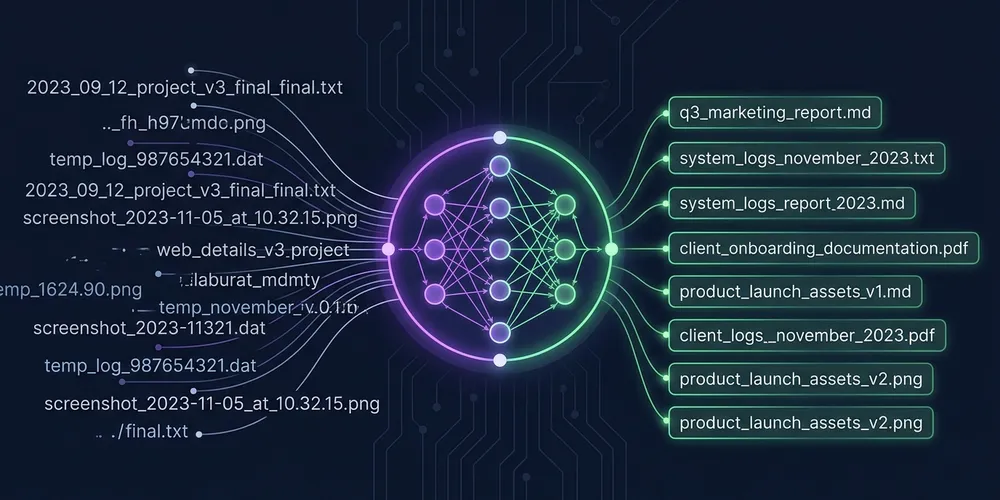
Generating Semantic Note Filenames: Taming Local LLMs with Ollama and Gemma 4
In my last post, I talked about how I built a CLI tool to restructure my Logseq journal outlines into clean document notes for Obsidian. It worked well, but it had one major cosmetic flaw: filenames.
When you extract a bullet point like “learned how to configure Tailscale subnets to route homelab traffic,” what do you name the resulting markdown file?
Initially, my tool just took the first few words of the sentence and joined them together. It was simple, but the results were messy. You’d end up with filenames like learned-how-to-configure.md or today-i-spent-three.md. They lacked context. I wanted my note titles to be concise, semantic summaries—like Tailscale subnet configuration.md.
To solve this, I decided to pull in an LLM.
The LLM Filename Pipeline
I wanted to implement two different paths for generating these filenames:
- OpenRouter: A quick, cloud-hosted API using lightweight models like Gemini’s
gemini-2.5-flash-lite. I calculated the cost beforehand; given this dataset, it was capable enough to summarize these entries, and running all of them would only cost a fraction of a dollar (around 2-3 cents). - Ollama: A local, offline setup. Even though OpenRouter is cheap and fast, I am very enthusiastic about local LLMs. Despite running a relatively low-powered home server (a mini PC), I love to experiment with local execution.
To support both workflows, I built a base polymorphic client structure wrapping the OpenAI Python SDK, which provides native compatibility with both OpenRouter and Ollama APIs. During the setup, I hit one minor connection quirk: if you specify a hostname or IP without a port (like pointing to a home server directly), the OpenAI client defaults to port 80 instead of Ollama’s default 11434. A quick check to automatically append :11434 resolved the issue.
Designing Seamless Provider Detection
Switching between local and cloud generation is completely seamless: the tool automatically adapts to your active environment variables, removing the need to pass verbose CLI flags or manually swap base URLs.
Initially, the configuration was scattered. We had a generic base URL variable, meaning that switching between providers required updating multiple variables at once. To resolve this, I implemented a convention-based provider detection flow in llm.py:
- Ollama Auto-Detection: If the tool detects
OLLAMA_HOST(which is typically already set globally in homelabs running Ollama) and no API key is set, it defaults the provider to Ollama. - OpenRouter Auto-Detection: If you set the
LSC_API_KEYenvironment variable, the generator automatically routes requests through OpenRouter. - Explicit Overrides: If both are present or you want to lock in a specific path, you can override detection using
LSC_LLM(set toollamaoropenrouter) andLSC_MODELfor the model name.
Cleaning up the Abstraction Smell
Writing unit tests for provider resolution is now trivial—we can just pass a mock configuration dictionary rather than dealing with the headache of mock-patching global environment variables.
This was a major improvement over the initial code smell, where environment variables like LSC_API_KEY and OLLAMA_HOST were read directly inside the client factories, leaking configuration into core domain logic.
To fix this, I refactored the pipeline to use dependency injection. The CLI entry point (cli.py) now reads os.environ once and passes it down as a clean dictionary (env) to the converter constructor. This keeps testing simple:
def test_provider_resolution():
    generator = LLMFilenameGenerator(env={"LSC_API_KEY": "sk-or-12345"})
    assert generator.provider == "openrouter"
    assert isinstance(generator.client, OpenRouterLLMClient)
Saving Progress: Progressive Caching
I wanted to ensure that if the migration task was interrupted or if a network glitch occurred, I wouldn’t lose all progress and have to restart from scratch. Now, the generator progressively saves the cache file to disk every 5 successful filename generations. If the run is aborted halfway, the next run picks up exactly where it left off, hitting the cache for all completed items.
To achieve this, I added an on_resolve callback to the batch processing loop. This was particularly important because running an LLM locally (especially on a shared mini PC) is slower than cloud APIs. To prevent VRAM exhaustion, Ollama requests are run sequentially (max_workers=1), meaning the full run of 350+ notes takes about 20 minutes. Without this progressive cache saving, aborting the run would lose the entire batch’s progress.
Model Showdown: Qwen 3 vs. Gemma 4
Choosing the right model made a massive difference: Gemma 4 (8B) completely lived up to its reputation by producing polished, semantic titles, while Qwen 3 (4B) fell short by generating truncated sentence fragments.
Given the VRAM limitations of my low-powered mini PC, I wanted to find a small model that would comfortably fit in memory. I had heard positive things about Google’s gemma4:e4b, but I tested Qwen 3 first to see if its smaller footprint would suffice.
While Qwen 3 was fast and lightweight, it was not a good fit for this task. Here are a few direct comparisons showing the difference in output quality:
- Cooking Log:
- Qwen 3:
"great day souk. Shish Tawook Chicken was well received it" - Gemma 4:
"souk cooking success shish tawook sellout"
- Qwen 3:
- Mindset Reflection:
- Qwen 3:
"A rut not sign that youve tanked. plateau not cue" - Gemma 4:
"Finding new routes when stuck on lifes path"
- Qwen 3:
- Performance Insight:
- Qwen 3:
"It turns out that when people assess your skills they" - Gemma 4:
"Judging peaks over troughs in performance"
- Qwen 3:
- Technical Log (Proxmox/OpenWrt):
- Qwen 3:
"OpenWRT installed Proxmox used design network. learningsProxmox VE" - Gemma 4:
"openwrt proxmox network design learnings"
- Qwen 3:
Gemma 4 is significantly smarter and produces properly cased, natural titles. It’s slightly slower on my local hardware, but with the progressive cache saving in place, the speed hit is negligible.
Wrap-up
Adding LLMs to a local CLI tool is simple on paper, but making it robust requires thinking about client isolation, network fallbacks, and progress persistence. Now, my notes look professional, and my vault restructure is complete.
That’s about it. I hope this helps!