
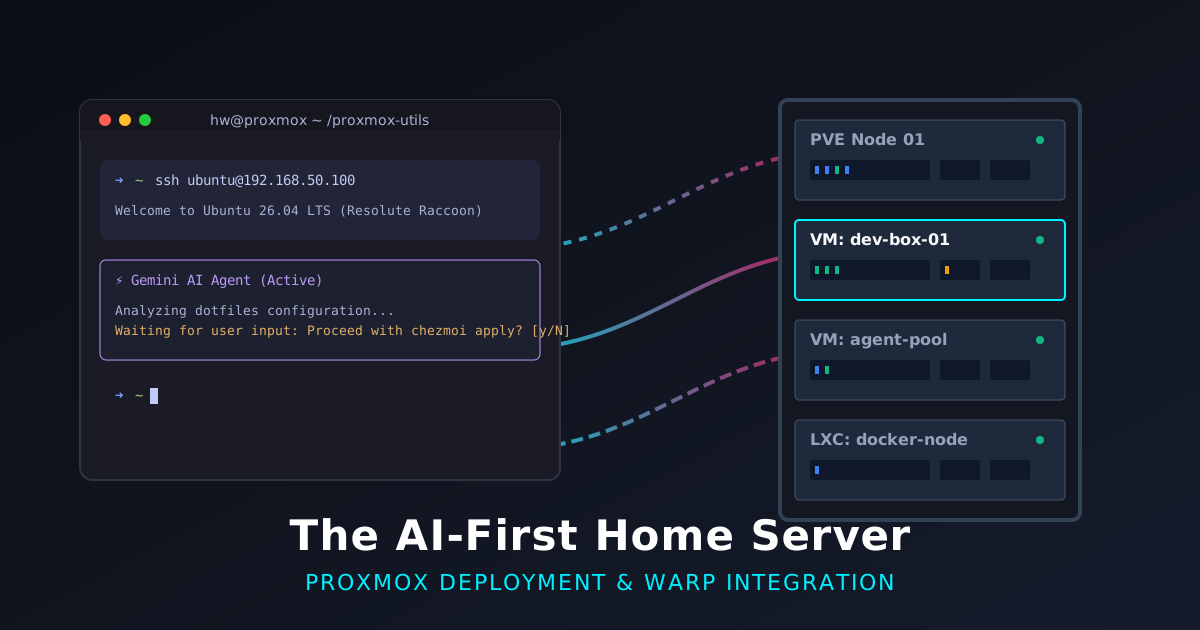
Moving Development to the Cloud: The AI-First Home Server
I was in the middle of a deep debugging session on one laptop, had to switch to my other machine, and suddenly realized I’d left my entire development context behind.
I’ve been meaning to fix this for a while. Between the RAM-heavy demands of Docker and my growing habit of running multiple AI agents (Claude for work, Gemini CLI for personal projects), my local laptops were starting to gasp for air. Last weekend, I finally sat down to move my primary development workflow off my laptops and onto a remote setup on my Proxmox home server.
The “Why”: Context Over Raw Power
Sure, running out of RAM while juggling Docker containers is a real problem. But the real driver here was context. Because I use two laptops, moving my work to a central VM means I can pick up exactly where I left off, regardless of which keyboard I’m typing on.
This is especially true as my workflow has shifted. I’m spending less time entirely in the IDE and more time orchestrating AI agents. These agents often run for long periods in the background. I need a stable environment that doesn’t care if I’ve closed my laptop lid or switched machines entirely.
The Terminal Tug-of-War
My terminal situation has been… complicated. I primarily used Ghostty for a while, and I wouldn’t really say I was a fan of Warp. I only fired it up when I specifically wanted to use Warp’s own AI agent.
But then they introduced an update with vertical tabs that show the status of each terminal and AI agent. When you’re running multiple agents across different directories, being able to see if one is stuck waiting for input at a glance is a game-changer. It quickly became a more natural place for me to code, and right now, I’m using Warp more than Ghostty.
However, Warp and my shell of choice, Fish, have a sketchy relationship. I tried the officially described workarounds, but they just didn’t work for me.
So, I did the very human thing of compromising: I implemented a parallel Zsh configuration. My dotfiles repo actually has a script that evaluates the machine and sets the default shell—it keeps Fish on my macOS devices, but flips to Zsh on Linux. I didn’t want to abandon Fish completely just because Warp was being stubborn. Thanks to Starship, mirrored aliases, shared functions, and zsh-abbr, my Zsh setup now looks and behaves almost exactly like my Fish environment.
But the plot thickened. Even Zsh wouldn’t work with Warp initially. The problem was that I install my tools via Homebrew (Linuxbrew), so the Zsh binary was in a path that wasn’t available at the very start of the SSH session. To fix it, I had to install Zsh both natively (so Warp could find a valid shell immediately) and via Brew (to keep my toolchain consistent). Redundant? A little. But it worked.
Infrastructure: Almost Giving Up
While working on my proxmox-utils project over the weekend, I almost threw in the towel. I was using the telmate Terraform provider to spin up my VMs, and I kept hitting cryptic cloud-init errors. I couldn’t debug them, and they made absolutely no sense. It was frustrating enough that I nearly walked away from the whole home server idea.
Switching to the bpg/proxmox provider was the turning point. It just works. It handles API tokens properly, and more importantly, cloud-init runs flawlessly. This finally allowed me to build the “instant” dev boxes I’d been envisioning.
Automating the “Instant” Dev Box
Now, I can spin up a VM and have it ready to go in minutes. My new cloud-init templates automatically:
- Install Homebrew and the 1Password CLI.
- Initialize chezmoi to pull in my dotfiles repository.
- Enable keyctl and nesting in LXC containers (which is crucial if you want to run Docker-in-Docker workloads).
- Set up the base OS as Ubuntu 26.04 (Resolute Raccoon), keeping me on the absolute bleeding edge.
There was also a critical one-time setup on my local laptops: I updated my ~/.ssh/config to enable SSH agent forwarding explicitly for all devices in my home subnet. Since these Proxmox VMs get IP addresses in that same subnet, I immediately get agent forwarding when I SSH in. I don’t need to manually distribute SSH keys to every ephemeral virtual machine.
My New Workflow
With the infrastructure in place, starting a new project looks like this:
- Create the VM: I use my
proxmox-utilsto spin up a new instance. - First SSH & 1Password: I SSH into the new box. The
cloud-initscript has already initialized mychezmoirepo, but it hasn’t applied the changes yet because it needs 1Password for secrets. I authenticate the 1Password CLI. - Apply Dotfiles: I run
chezmoi apply. This sets up my environment, installs my standard packages, and configures my Zsh shell. - Clone & Authenticate: I clone the specific projects I want to work on. Finally, I authenticate either Claude (for work) or Gemini (for personal projects). My dotfiles already installed the CLIs; I just need to log in.
The Remote-First Future
Moving this workflow to a home server isn’t just an ad for Proxmox; it’s about the broader shift toward remote cloud computing for development. Decoupling your development environment from your physical hardware is a massive quality-of-life upgrade. It turns your laptop into a window rather than a silo.
Right now, I rely heavily on the built-in “resume” features in Gemini or Claude to pick up conversations across machines. But I’m planning to take this a step further. I’m going to start using Zellij more extensively to keep my terminal sessions running persistently on the server. Zellij even has a web client, meaning I might not even need to SSH in to resume a session—I can just open a browser tab. I’m going to try that out and see how it fits my flow.
It turns out there’s a better way than carrying your context in your RAM—just leave it in the cloud.
That’s a wrap. If you’re tired of losing your context between machines, maybe it’s time to give your agents a home of their own.